

OPEN//77 · guide
Sell on OPEN//77, step by step.
Two ways to earn: sell a script to server operators, or sell bonuses to the players of your own server.
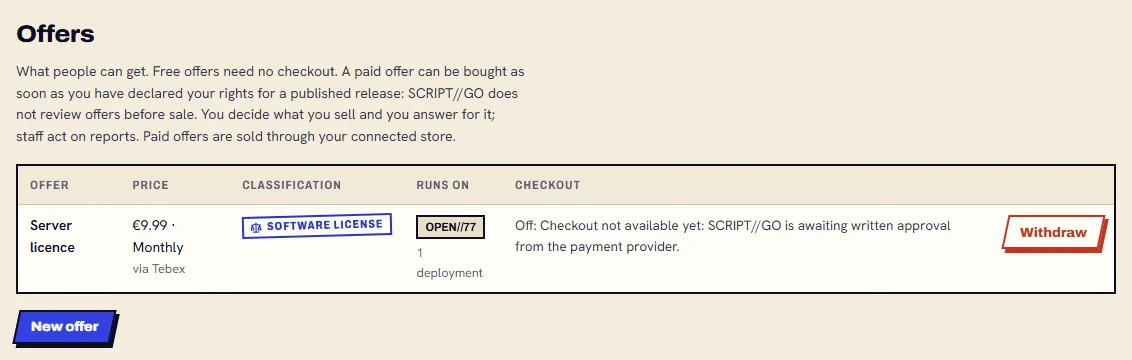
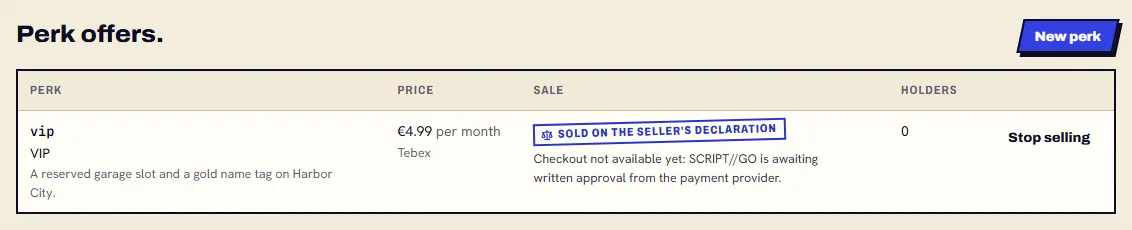
Checkout opens on Tebex approval.
What do you sell?
Track 1
Sell a script.
A studio sells a script to the people who run OPEN//77 servers. Example: Kestrel Works sells Inventory Pro.
Step 1: Create your account and creator profile.
Sign up, then open Dashboard → Settings → Creator profile. Its username names your packages:
kestrel//inventory-pro.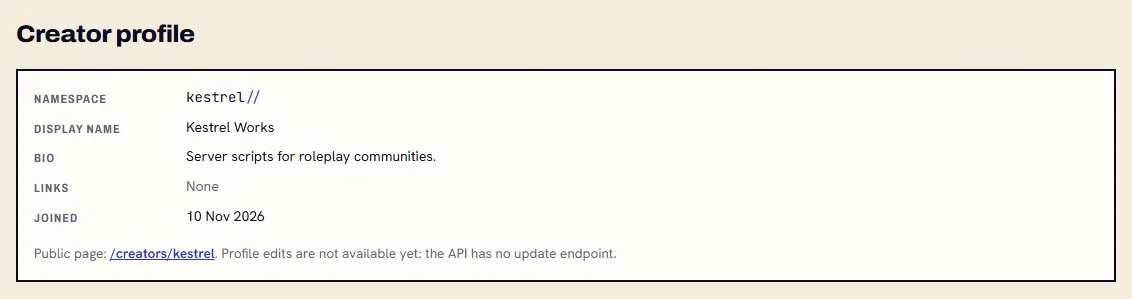
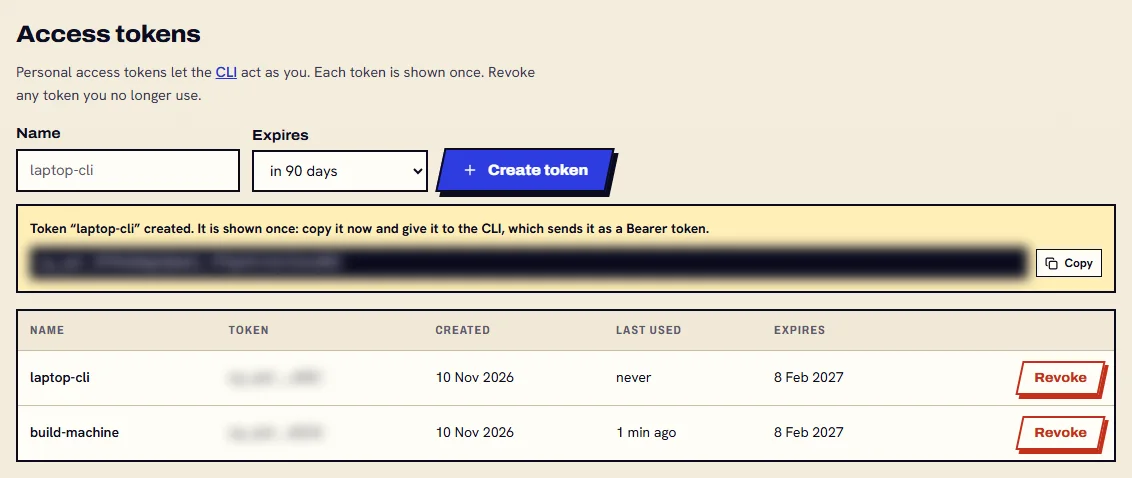
Step 2: Make an access token.
Dashboard → Settings → Access tokens. It starts with
sg_pat_and is shown once: copy it then.- Keep it out of resource folders and repositories.
Step 3: Install the CLI.
It needs Node.js 22 or later. Then sign it in with your token.
npm install -g https://github.com/scriptgo-hq/scriptgo-sdk/releases/download/v0.1.6/scriptgo-cli-0.1.6.tgzscriptgo login --token <your token>
Step 4: Write the resource.
A folder with a
scriptgo.luamanifest and your shared, server and client scripts.scriptgo init inventory_prowrites one to start from.inventory_pro/scriptgo.luaresource "inventory_pro" version "1.0.0" scriptgo_version ">=0.1.0" title "Inventory Pro" license "LicenseRef-Proprietary" licensed true lua { "5.1", "5.4", "luajit" } environments { "standalone", "open77" } capabilities { "events", "storage", "licensing" } shared_script "shared/core.lua" server_script "server/main.lua" server_script "server/license.lua" client_script "client/main.lua" test_script "tests/core_test.lua"inventory_pro/server/license.luaCreateThread(function() local result, code = ScriptGo.licensing.verify({ -- on OPEN//77: the convar inventory_pro:license_key licenseKey = ScriptGo.config.get("license_key"), package = "kestrel//inventory-pro", }) if not result or not result.valid then local why = result and result.reason or code ScriptGo.log.error("licence: " .. tostring(why)) end end)- OPEN//77 sends shared and client scripts to players' game clients: keep valuable logic in server scripts.
- OPEN//77's sandbox has no
os,io,debug,packageorload;scriptgo validatechecks it.
Step 5: Test it.
scriptgo testruns your test scripts on Lua 5.4, 5.1 and LuaJIT.verifystarts a real OPEN//77 dedicated server with your resource and reads its log.scriptgo test inventory_proscriptgo verify inventory_pro --env open77 --open77-server <path to Open77.Server.exe>- Only the server half runs in
verify: no game client joins.

- Only the server half runs in
Step 6: Publish it, and protect it if you like.
--owns-codedeclares your rights. With--escrowyour server scripts are encrypted before they leave your machine, and run only on the server their licence is bound to.scriptgo publish --owns-codescriptgo publish --escrow --owns-code- Only server scripts are encrypted: shared and client scripts go to game clients, so they stay readable.
- A licence can be revoked and a leaked copy traced. It does not make copying impossible: an operator can still inspect their own server.
- A published version never changes: to fix 1.0.0, publish 1.0.1.
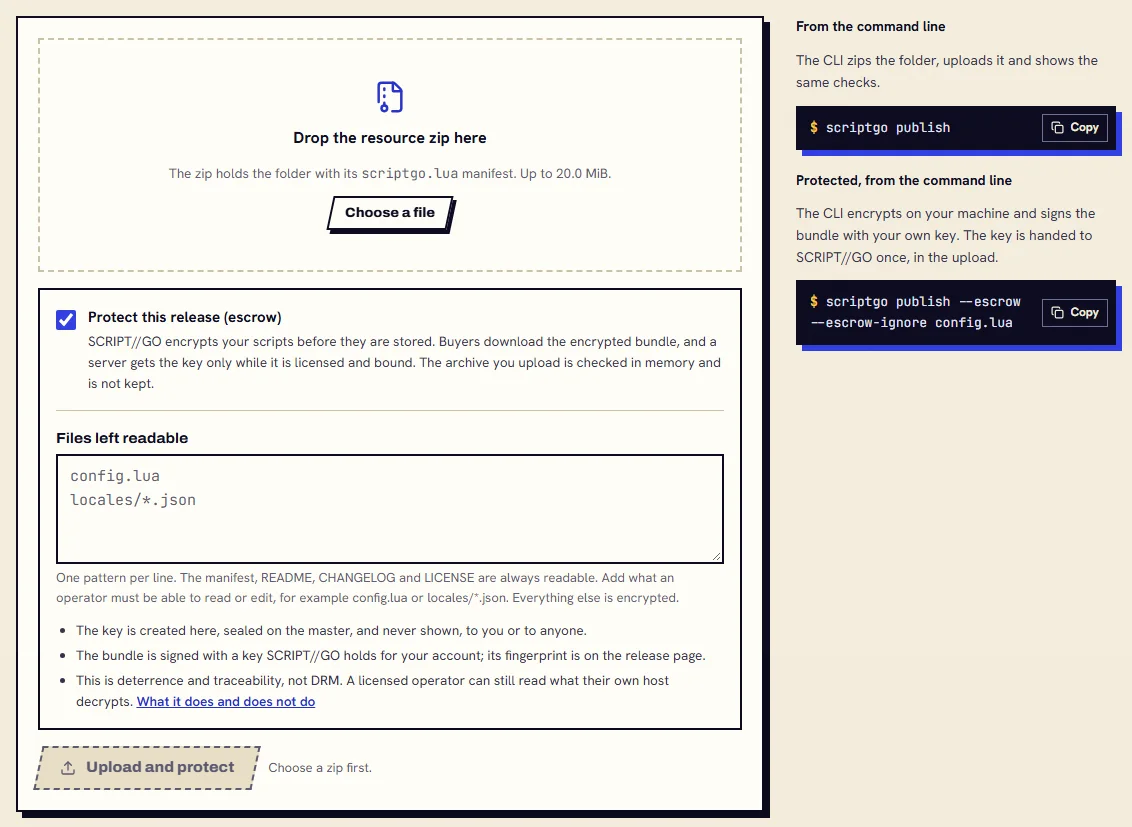
Or upload a zip on the site, with the same option. Step 7: Connect your own Tebex store.
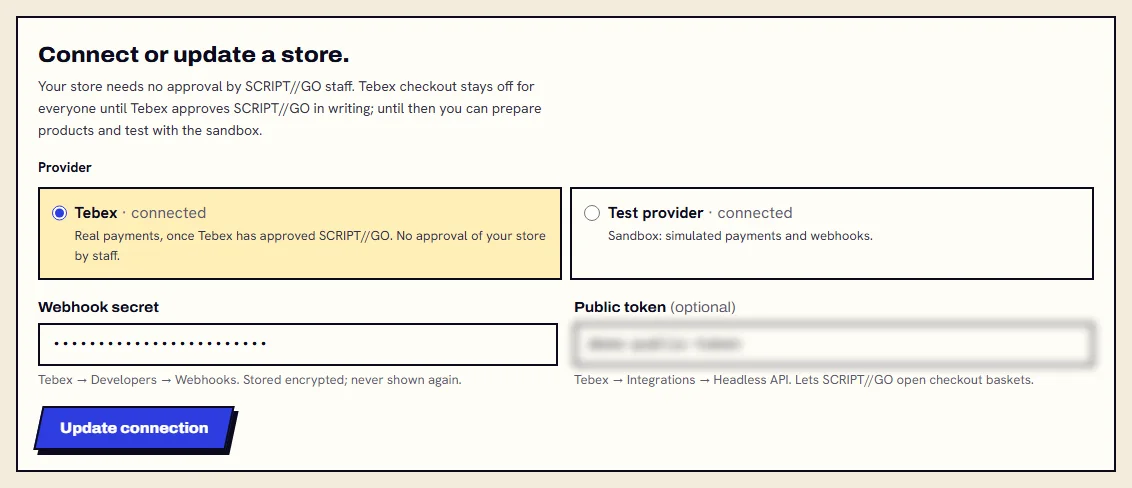
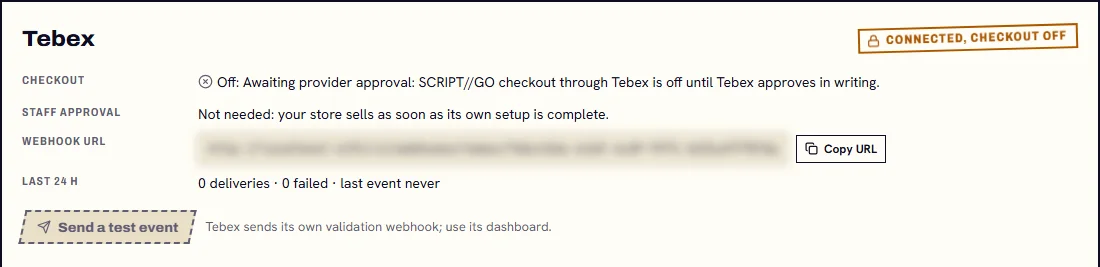
Create a package for the script in your Tebex store. Then, in Dashboard → Stores, paste its webhook secret and public token, and add the webhook URL the page shows in Tebex → Developers → Webhooks.
- Both values are stored sealed and never shown again. No staff approves your store.
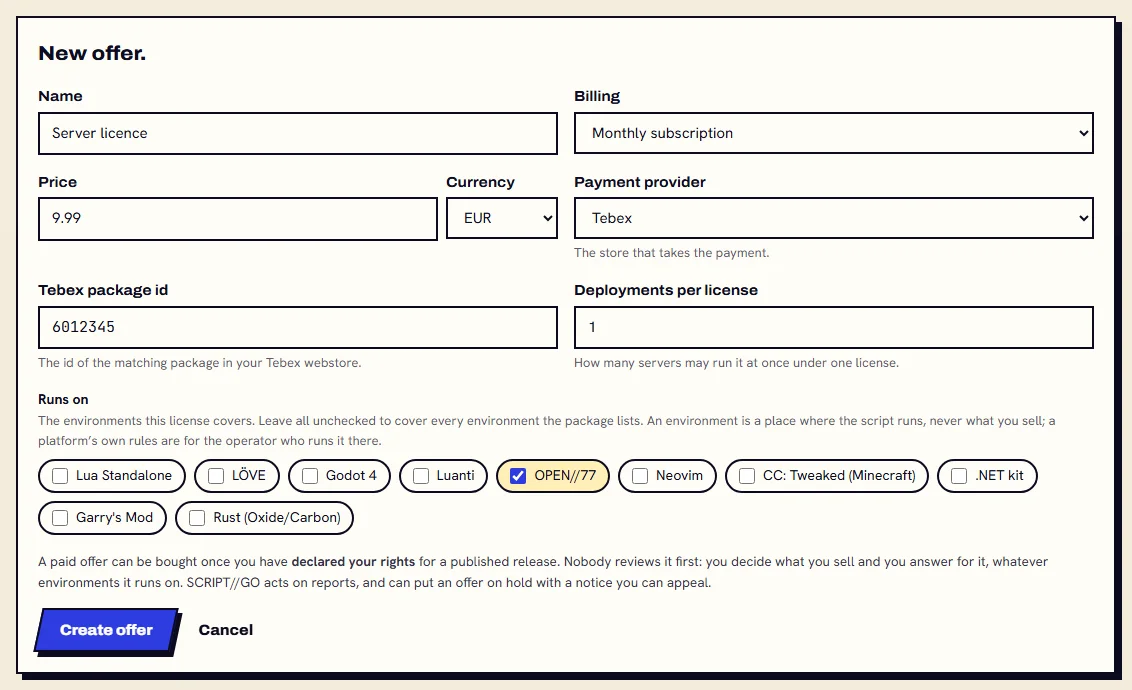
Step 8: Set the offer and its price.
On your package's page: New offer. Pick the billing, the price, Tebex and its package id, how many servers one licence covers, and OPEN//77 under Runs on.
- With your rights declared on a published release, the offer is on sale. Nobody reviews it first.
Then your buyer, on their OPEN//77 server
Step 9: The buyer adds a deployment.
After a verified payment the licence is in their Dashboard → Licences. They add a deployment for OPEN//77; its token is shown once.
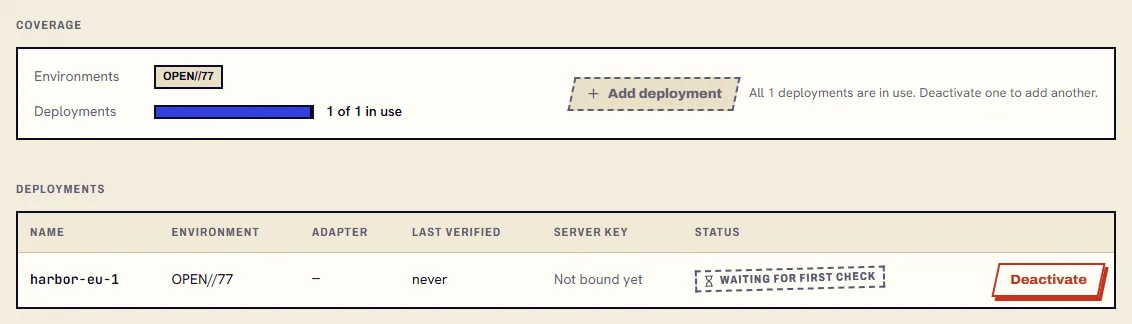
Step 10: They install it on the server.
packturns the package into a folder OPEN//77 loads as is. A protected release installs still encrypted, with its own steps.scriptgo add kestrel//inventory-proscriptgo pack resources/inventory_pro --target open77 --out dist
Step 11: They allow the API and set the key.
OPEN//77 keeps outbound HTTP off until the operator lists a host. The licence key goes in a convar, never in the resource folder.
server.jsonc"http": { "enabled": true, "allowedHosts": ["api.scriptgo.dev"] }, "convars": { "scriptgo_api": "https://api.scriptgo.dev", "inventory_pro:license_key": "<your licence key>" }
Track 2
Sell bonuses to your players.
A server operator sells a perk, such as a monthly VIP, to the players of their own servers. Example: Harbor City RP sells “vip”.
- You need a creator profile and a connected store, as in Track 1.
- Perks need players authenticated by the OPEN//77 master: a masterless (
devLocalAuth) server gives its players no identifier, so they have no perk there.
Step 1: Create the perk.
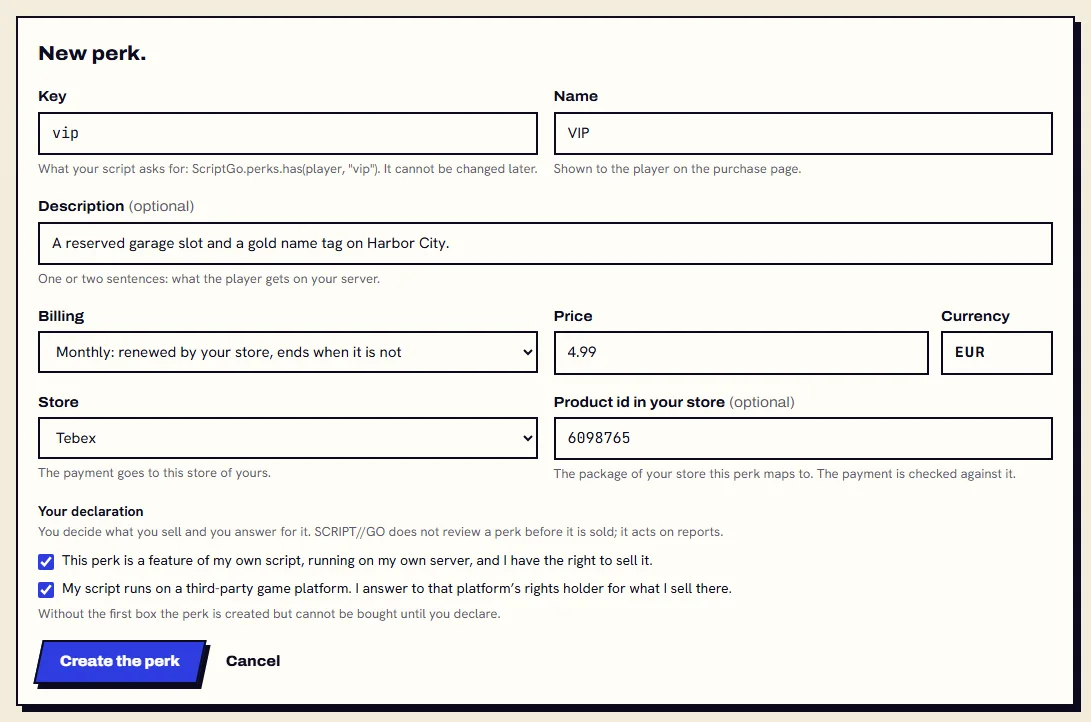
Dashboard → Perks → New perk: the key your script asks for, the name players see, monthly or one-time, the price, your store and its product id, and your declaration.
- The key cannot be changed later. What you sell is a feature of your own script, on your own server.
Step 2: Link your server.
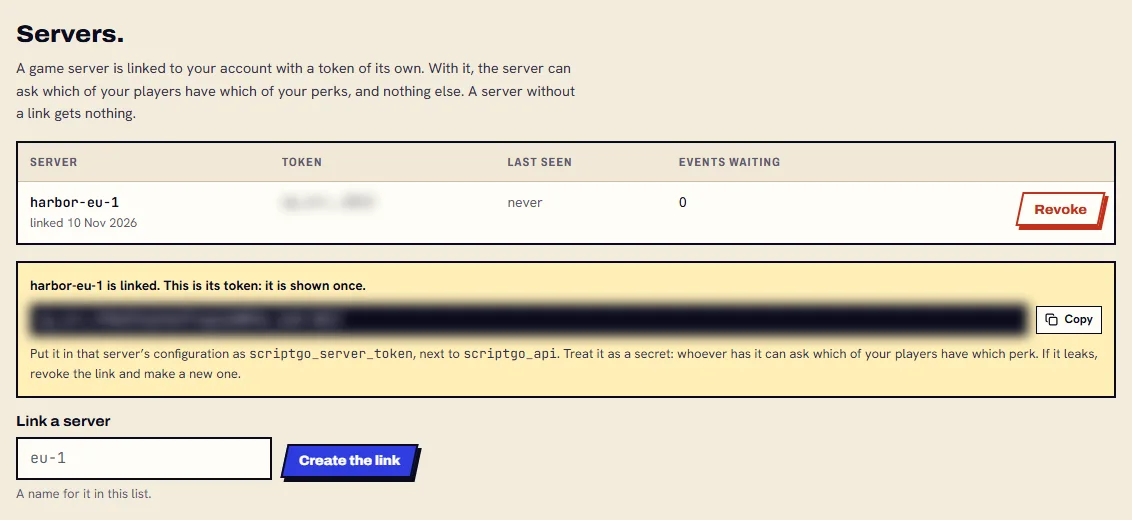
Dashboard → Perks → Servers: name it and create the link. Its
sg_srv_token is shown once.- Treat it as a secret. If it leaks, revoke the link and make a new one.
Step 3: Give the token to your OPEN//77 server.
Allow the API host and set two convars. Nothing about payments is in OPEN//77: the server only asks SCRIPT//GO.
server.jsonc"http": { "enabled": true, "allowedHosts": ["api.scriptgo.dev"] }, "convars": { "scriptgo_api": "https://api.scriptgo.dev", "scriptgo_server_token": "sg_srv_..." }
Step 4: Ask in your script.
ScriptGo.perks.hastells you if a player holds the perk;onhears purchases and refunds;purchaseLinkgives a player their own link to buy it.server/vip.luaAddEventHandler("playerJoining", function() local player = source CreateThread(function() -- has() waits for the API local has = ScriptGo.perks.has(player, "vip") if has then --[[ the VIP garage slot ]] end end) end) ScriptGo.perks.on("granted", function(player, key, info) -- a purchase end) ScriptGo.perks.on("removed", function(player, key, info) -- a refund, a chargeback, the end of the period end) RegisterCommand("vip", function(player) local url = ScriptGo.perks.purchaseLink(player, "vip") -- send url to that player: it is signed for them end)- Add
perksto the manifest’scapabilities. - While Tebex checkout is off,
purchaseLinkanswersnil, "not_purchasable"for a Tebex perk.

- Add
Step 5: The player buys it.
The link opens a page with the perk, the price, the seller and the player's identifier, and a button to your store. No account needed.
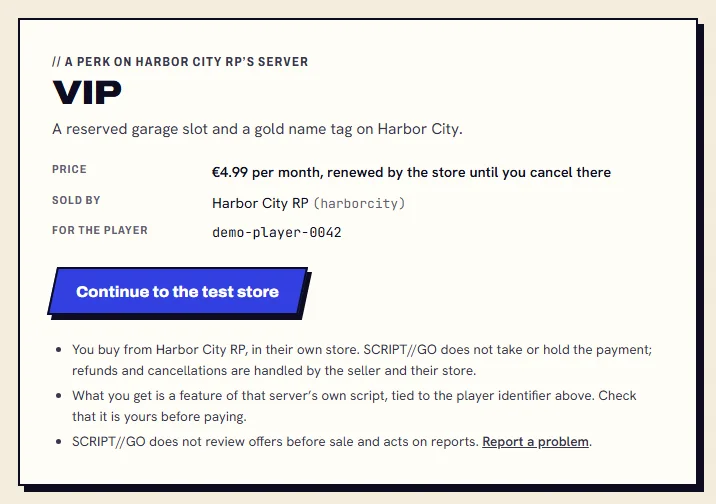
Shown with the test store. With Tebex, the button opens your Tebex store once checkout is live. Step 6: It holds on every server you linked.
Granted when your store confirms the payment, renewed with the subscription, removed on a refund, a chargeback or the end of the period.
- A server that loses the API keeps what it knew until the period ends or its offline grace runs out, whichever is first.

Read more